



Cloud Connected Dash Cams
Cloud connected dash cams from BlackVue and Thinkware that let you check on your car from your phone, wherever you are.
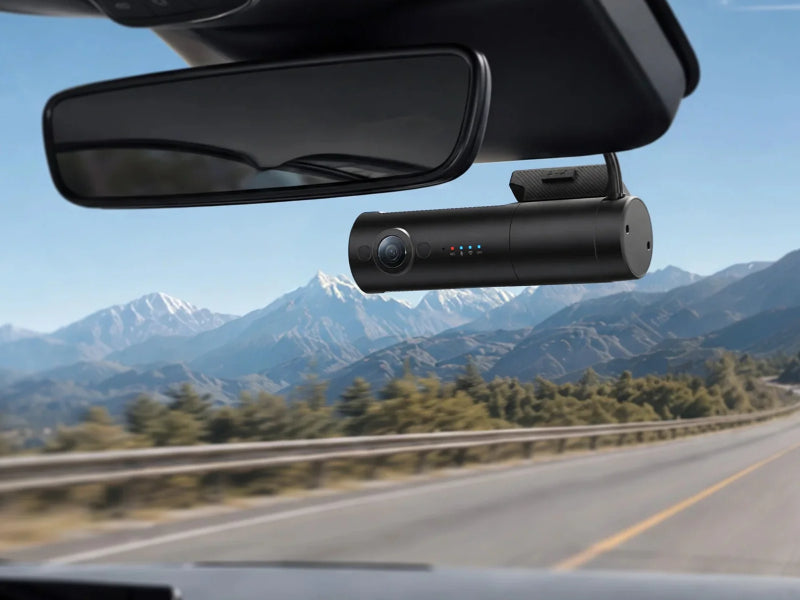
A cloud connected dash cam links to an app on your phone through a Wi-Fi hotspot or an optional LTE module, so you can see what's happening around your car from anywhere. Depending on the model, that means live view, instant impact and parking alerts, remote playback and automatic upload of event footage.
Our range includes every BlackVue dash cam we stock, from the DR590X with Cloud Lite to the DR770X, DR970X and Elite series, plus Thinkware Connected models including the U3000, U3000 Pro, U1000 Plus and Q850. We also offer professional dash cam installation at our Nottingham workshop. Free UK mainland delivery on all orders.

 Best Seller Thinkware Dash Cam U3000 4K UHD Front 2K QHD Rear Camera Built In Radar GPS WiFi £479.00 /Low stock


-


 Save 3% Best Seller Thinkware Dash Cam U1000 Plus 4K UHD Front and 1080p Rear Camera GPS WiFi 64GB RRP
£339.00£329.00 / Save 3%In stock


-


-
-

-
-


 Out of stock Best Seller Thinkware Dash Cam U3000 Pro 4K Front 2K Rear Camera Built In Radar GPS WiFi £529.00 / Out of stockOut of stock

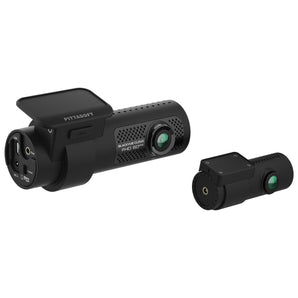 Out of stock BlackVue Dash Cam DR770X-2CH II Full HD Starvis Sensor WiFi GPS 2 Channel Camera RRP
£399.95£379.95 / Save 5% Out of stockOut of stock
 Out of stock BlackVue Dash Cam DR770X Box Pro 3ch Full HD Starvis WiFi GPS 3 Channel Camera £699.95 / Out of stockOut of stock

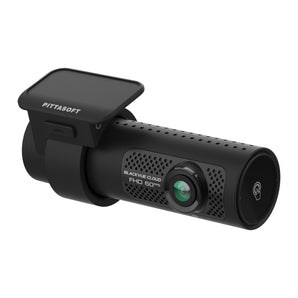 Out of stock BlackVue Dash Cam DR770X-1CH II Full HD Starvis Sensor WiFi GPS 1 Channel Camera £299.95 / Out of stockOut of stock

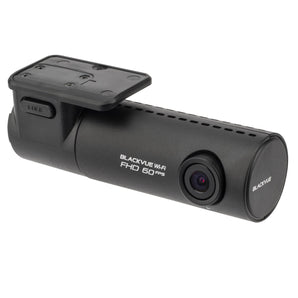 Out of stock BlackVue Dash Cam DR590X-1CH 32GB Full HD 1080p Starvis Wi-Fi 1 Channel Camera £199.95 / Out of stockOut of stock

 Out of stock Thinkware Dash Cam Q850 2K Quad HD 1440p HDR Front Camera WiFi GPS STARVIS 32GB £219.00 / Out of stockOut of stock

 Out of stock BlackVue Dash Cam DR590X-2CH 32GB Full HD 1080p Starvis Wi-Fi 2 Channel Camera £299.95 / Out of stockOut of stock


Cloud dash cams in our range
- BlackVue DR590X: Full HD 1 and 2-channel cameras.
- BlackVue DR770X II and DR770X Box Pro: Full HD 1, 2 and 3-channel cameras.
- BlackVue DR970X Plus II: 4K Ultra HD 1 and 2-channel cameras.
- BlackVue Elite 8, 9 and 10: 2K and 4K cameras in 64GB and 256GB versions.
- Thinkware Q850, U1000 Plus, U3000 and U3000 Pro: 2K and 4K cameras, with built-in radar on the U3000 models.
How to choose a cloud dash cam
Decide how you will connect. A Wi-Fi hotspot in the car is fine if you already have one, while an LTE module gives the camera its own connection. Then choose resolution and channels as you would for any dash cam. For cloud features while parked, the camera needs constant power from a hardwire kit or a dash cam battery pack.
Cloud Connected Dash Cams FAQs
Q: Does a cloud dash cam need a SIM card?
A: It needs an internet connection, either from a Wi-Fi hotspot or from an optional LTE module.
Q: Can I get alerts when my car is parked?
A: Yes, on supported models, provided the camera is hardwired or on a battery pack and connected to the internet.
Q: Can CEN install a cloud dash cam?
A: Yes. Our Beeston, Nottingham workshop can fit and hardwire the camera and set up parking mode.
Not Sure Where to Start?
Straightforward advice and the latest news from our Nottingham team.
All Guides and News →
Dash Cams
New at CEN: VIOFO A149 Pro Duo — 4K Front and Rear for Under £250
Read more →
Dash Cams
Seven Dash Cam Buying Mistakes (And How to Avoid Them)
Read the guide →
Dash Cams
Christmas Gift Guide 2026: Car Audio, Dash Cams and Outdoor Tech
Read the guide →
Dash Cams
Telephoto Dash Cams Explained: Reading Number Plates at Distance
Read the guide →
Dash Cams
Dash Cams in Winter: Night Footage, Condensation and Battery Drain
Read the guide →
Dash Cams
Best Dash Cam Setup for Taxi and Private Hire Drivers
Read the guide →