


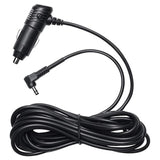
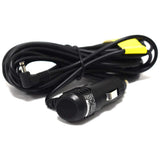

Thinkware Dash Cam Plug & Play Power Cable Q800 F800 Pro F770 X700 F200 F100 F70
Couldn't Load Pickup availability
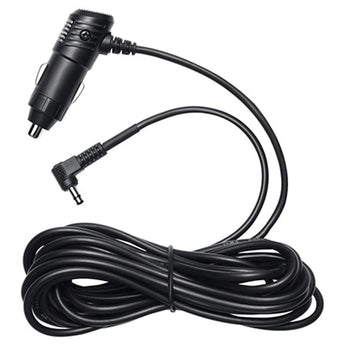
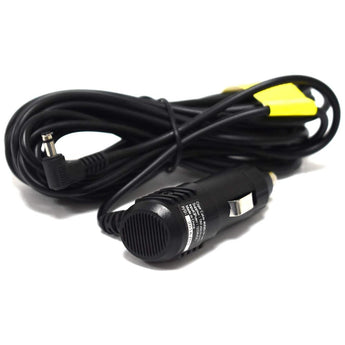
The Thinkware TWCigar TWA-SC is a 4m plug-and-play power cable that runs compatible Thinkware dash cams from your vehicle's 12V power outlet — no hardwiring required. It is part of the Thinkware dash cam accessories range.
Want parking mode recording? The Thinkware TWA-SH hardwiring cable connects the camera directly to your vehicle's power supply instead.
Key specifications
- Model: Thinkware TWCigar TWA-SC
- Type: car charger power cable
- Connection: vehicle 12V power outlet
- Length: 4m (13ft)
- Installation: plug and play
- Routing: can be neatly hidden along the windscreen
- Compatible models: F100, F200, F70, F770, F800 Pro, Q800 Pro, X330, X350, X550, X700
Plug & Play power cable
TWCigar TWA-SC
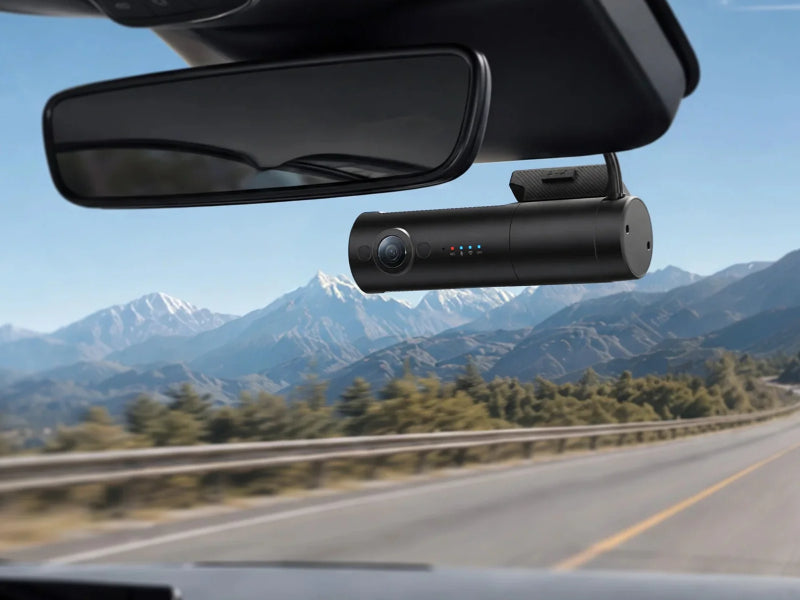
Power your Thinkware dash cam via your vehicle's 12V power outlet. The 4m (13ft) cable length makes it straightforward to route and hide the cable neatly along your windscreen.
Explore the full range in Thinkware Power & Mounts.
Specification
| WEIGHT | 0.3 oz/ 8.5kg |
|---|---|
| DIMENSIONS | 1.4 x 3.9 x 1.4 inches/ 3.6 x 9.9 x 3.6cm |
More specs
| |
What's Included
- Plug & Play Power Cable TWCigar TWA-SC
Thinkware
About the Thinkware TWA-SC
From our tech experts at CEN
The Thinkware TWA-SC is a 4m plug and play power cable that runs a compatible Thinkware dash cam from the vehicle's 12V socket. There is no wiring into the fuse box, and the 4m length is enough to route the cable around the windscreen and tuck it out of sight.
Who it suits
Owners of the F100, F200, F70, F770, F800 Pro, Q800 Pro, X330, X350, X550 or X700 who need a replacement or spare lead, or who want to move a camera between vehicles. Because most 12V sockets switch off with the ignition, it does not support parking mode. For that, use the TWA-SH hardwiring cable.
Our tech experts advise
Route the cable along the headlining and down the A-pillar trim rather than across the dashboard, keeping it clear of any airbag. Check your camera model is on the compatible list before ordering. See all Thinkware products, or dash cam installation if you would rather we fit it.
Explore the full Thinkware range at CEN, with fast UK dispatch and expert advice from our Nottingham team. Shop all Thinkware
Recommended For You
Discover more top-rated gear, handpicked to go with what you're viewing










More from Thinkware
More options from the same range, in stock and ready to go

Frequently Asked Questions
Q: Is this accessory compatible with my dash cam?
A: Dash cam accessories are generally model-specific. The compatible camera models are listed in the product description, and you can contact CEN to confirm compatibility before ordering.
Q: What does a hardwire kit do?
A: A hardwire kit powers your dash cam directly from the vehicle's fusebox, hiding the cable and enabling parking mode. Kits include battery protection so your car battery is never drained below a safe level.
Q: Why would I add a dash cam battery pack?
A: A battery pack powers parking mode for longer periods without drawing on your car battery at all. It charges while you drive and is the recommended option for extended parking protection.
Q: Can CEN fit this accessory?
A: Yes. CEN offers professional dash cam and accessory installation from our Nottingham premises. Contact us to book.
Q: Which Thinkware dash cams work with the TWA-SC power cable?
A: It is listed as compatible with the Thinkware F100, F200, F70, F770, F800 Pro, Q800 Pro, X330, X350, X550 and X700.
Q: Does the plug and play cable support parking mode?
A: The plug and play cable powers the dash cam from the 12V outlet. For parking mode recording, Thinkware dash cams are hardwired to the vehicle using the TWA-SH hardwiring cable.
