



In this guide
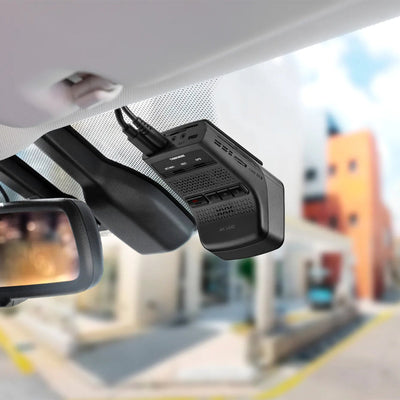
Hardwiring connects your dash cam directly to the vehicle's fusebox instead of the 12V socket. It does two things: hides the cabling completely for a factory-neat install, and provides the constant power that parking mode needs to protect your car while it's parked. This guide explains how it works, how to do it, and when a dash cam battery pack is the better answer.
What a hardwire kit actually does
A hardwire kit is a fused cable with (usually) three connections: a constant 12V feed, an ignition-switched feed, and an earth. The camera uses the switched feed to know when you're driving and the constant feed to keep recording after you park. Crucially, every quality kit includes low-voltage cut-off protection — it monitors your car battery and shuts the camera down before the battery drops below safe starting voltage. Your car will always start.
The installation, step by step
- Find your fusebox — usually behind a panel in the driver's footwell or glovebox. Your handbook shows which fuses are constant and which are ignition-switched.
- Identify one constant and one switched fuse using a test light or multimeter.
- Connect with fuse taps — the add-a-circuit taps supplied with good kits piggyback existing fuses without cutting any factory wiring.
- Earth the black wire to a bare-metal bolt on the chassis.
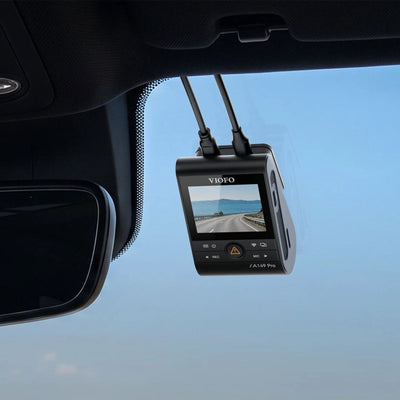
- Route the cable up the A-pillar, along the headlining to the camera, tucking it behind the trim. Plastic trim tools make this much easier.
- Set the cut-off voltage in the camera's app — 12.0–12.2V suits most vehicles.
Comfortable with the above? It's a 45–90 minute job on most cars. Not comfortable? CEN offers professional hardwire installation from our Nottingham premises — the cable run ends up invisible and the fusebox connections are done properly. Contact us to book.
When a battery pack is the better choice
Hardwired parking mode still draws from your car battery, so protection is limited to hours, not days — and on cars with sensitive electrical systems or stop-start batteries, some owners prefer not to touch the fusebox at all.
A dash cam battery pack (Cellink, BLOC Power, Energywell) solves both problems. It charges from the 12V socket or a hardwired feed while you drive — typically reaching full charge in under an hour of driving — then powers the camera entirely from its own cells when parked. Your car battery is never touched, and a good pack runs a two-channel camera for a day or more of parking protection.
Choose hardwiring alone if your car is parked somewhere low-risk and you mainly want tidy cables plus basic parking cover. Add a battery pack if the car sleeps on the street, you park at stations or airports, or you drive a car whose battery you'd rather not load.
Browse dash cam accessories for hardwire kits and battery packs across Cellink, BLOC Power and Energywell.
Frequently asked questions
Will hardwiring a dash cam void my car's warranty?
No — fuse taps don't modify factory wiring, and the connection is fully reversible. Professional installation gives extra peace of mind on a newer car.
Can hardwiring flatten my car battery?
Quality kits include low-voltage cut-off that shuts the camera down well before your battery reaches a level that would prevent starting. Set the threshold in the camera's app.
How long does dash cam parking mode last?
Hardwired: typically several hours to overnight depending on battery health and the cut-off setting. With a dedicated battery pack: a day or more for most two-channel setups.
Can CEN install a hardwire kit for me?
Yes — professional dash cam and hardwire installation from our Nottingham premises, including battery pack installs.
Written by the CEN team in Nottingham — we hardwire dash cams every week, and everything in this guide comes from that bench experience.

)