


In this guide
Dash cams kill ordinary SD cards. If your camera shows card errors, skips footage or stops recording, the card — not the camera — is the usual culprit, and the fix is a high-endurance microSD formatted regularly in the camera.
Here's why it happens and how to buy once, properly.
Why standard SD cards fail in dash cams
A dash cam loop-records continuously: every drive, it writes video, deletes the oldest file and writes again, thousands of times over. Flash memory cells have a finite number of write cycles, and a standard card — designed for a phone or a camera that writes occasionally — burns through them in months. When cells wear out you get corrupted files, gaps in footage, or the worst case: a camera that looked like it was recording but saved nothing when you actually needed it.
What "high endurance" actually means
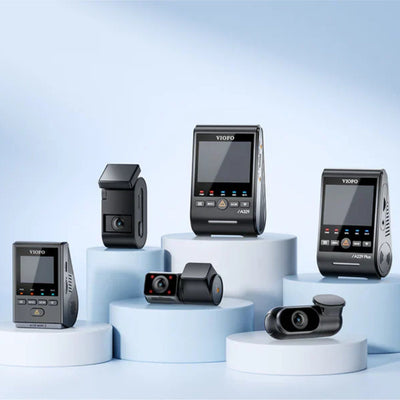
High-endurance cards use flash memory rated for continuous video writing — typically specified in thousands of hours of recording rather than raw capacity. They also hold sustained write speeds under heat, which matters in a car where a windscreen-mounted camera bakes in summer. This is why every dash cam manufacturer specifies them, and why we only supply high-endurance cards with our cameras.
Capacity: how big to go
Bigger cards mean longer loops before footage is overwritten — useful if you don't check incidents immediately, and essential if you run parking mode overnight. For a 2K or 4K camera, 128GB is the sensible floor and 256GB the comfortable choice. One caveat: every camera has a maximum supported capacity, so check the Specification tab on your camera's product page before buying the biggest card you can find.
The maintenance habit that prevents failures
Format the card in the camera (not a computer) every few weeks. It clears file fragmentation, refreshes the file system and takes fifteen seconds from the camera menu — most cameras will even remind you. And replace cards proactively: a high-endurance card that's been loop-recording daily for two-plus years owes you nothing.
Frequently asked questions
Why does my dash cam keep saying card error?
Almost always a worn or unsuitable card. Dash cams rewrite the same cells continuously; a standard card wears out in months. Replace it with a high-endurance card and format it in the camera.
How often should I format my dash cam SD card?
Every two to four weeks, using the camera's own format function. It clears fragmented files and is the single best habit for reliable recording.
What size card do I need?
Enough for several hours of loop recording — for most 2K and 4K cameras that means 128GB or 256GB. Check your camera's maximum supported capacity in its Specification tab before buying.
Written by the CEN team in Nottingham — authorised UK dash cam specialists. Questions? Contact us or call 0115 924 0666.